Good to know
Why file size limits are so awkward
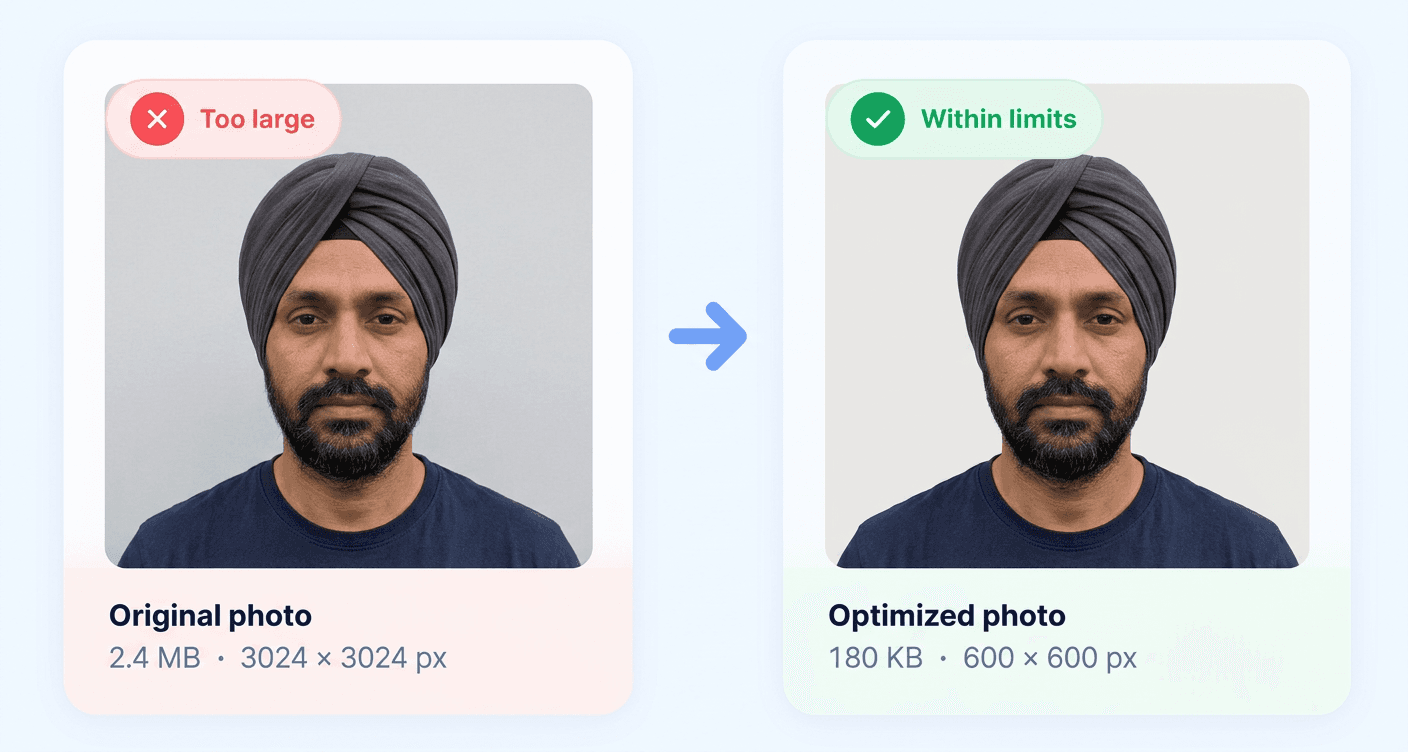
Government portals enforce two constraints that pull in opposite directions: a minimum pixel dimension so the photo carries enough detail, and a maximum file size so their systems stay predictable. More pixels means a bigger file, so satisfying both is a genuine squeeze.
The US is the sharpest example. A passport photo upload must be at least 600 by 600 pixels but no more than 240 KB. A high-quality 600x600 JPEG from a phone typically lands between 300 and 500 KB, so it fails, and the error message rarely says which limit you broke.
Quality first, dimensions last
The order matters. Reducing JPEG quality from 92% to 75% is usually invisible on a portrait against a plain background, while dropping the pixel dimensions is immediately noticeable in print and may break a stated minimum. So this tool searches quality down first, and only shrinks the longest edge when quality alone cannot get there.
Minimum sizes are a real constraint
It sounds absurd that a file can be rejected for being too small, but it happens. Chinese visa uploads must be at least 40 KB, and a small image of a face on a plain white background compresses so efficiently that it can land well under that at excellent quality. Inflating it by degrading the image would be self-defeating, so passport exports from this site pad the file structure instead.
Sensitive documents stay local
People use KB resizers for passport scans, bank statements and identity documents. Uploading that material to an unknown server to have it made smaller is a poor trade. This tool has no server component, so the file is read, recompressed and downloaded entirely within your browser tab.
Smart compression
Reduces file size without losing quality
Meets requirements
Fits official size and file limits
Stays on your device
No uploads, 100% private
Works instantly
Fast and browser-based
A smaller file size with the same clear quality makes your application process smoother and helps avoid unnecessary rejections.